Editing Code
A developer must edit code, for which you will need a code editor, i.e., a program to help you author code in the same way that Microsoft Word helps you author documents.
A good code editor does more than allow you to type. It helps you write accurate, working code without bugs, to follow best practices of code style, to quickly see the results of your work, and more.
Visual Studio Code
There are many code editors and you may already have a preference. However, MDI developers use Visual Studio Code (VS Code) and you will have the best experience integrating with others if you use it. It is the most common editor in use today and well supported.
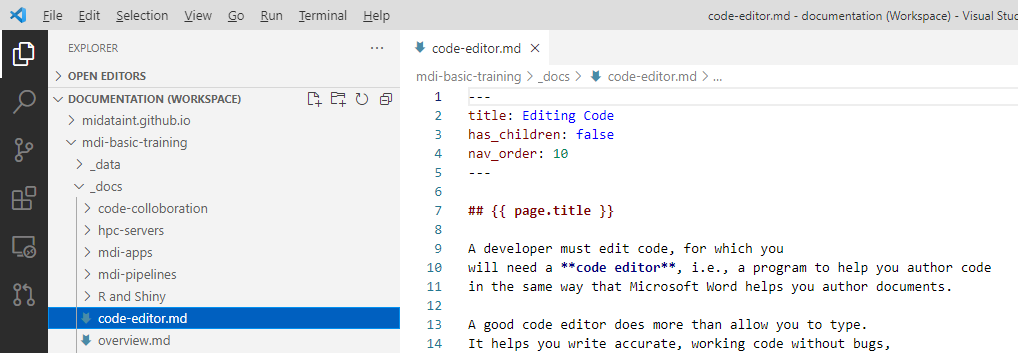
Install VS Code
You’ll find everything you need to get started with VS Code here:
https://code.visualstudio.com/
AI/LLM support
It is essential that you make use of Large Language Models (LLMs) the provide Artificial Intelligence (AI) assistance as you write code, to learn faster and become more efficient.
Fortunately, VS Code has implicit and extensive built-in AI support. In addition to offering AI-assisted code completion, you can open a chat window by clicking and icon at the top of the window.
Of course, you can also ask questions of any AI engine on the internet that you choose, including Gemini, ChatGPT, Perplexity, and others.
Throughout, your goal is NOT to have AI write code that you don’t understand! The goal is to have it teach you how code works so that together you can write more quickly. Ask it questions to explain what you don’t understand, and create prompts that force you to describe what you seek in concrete, programmatic terms.
Extensions
VS Code is a fully functioning editor “out of the box”, but it can be enhanced by various “Extensions”. To see the extensions that are already installed, click on the Extensions icon in the leftmost panel of VS Code.
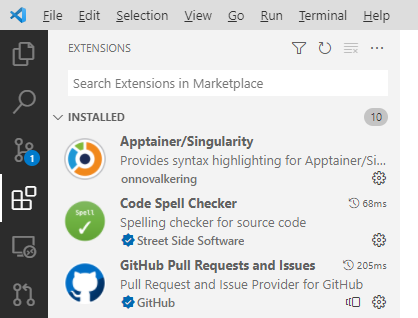
Depending on what you will work on in the MDI, you will find certain extensions to be very useful. We’ll mention these again when you need them, but it won’t hurt you to find and install them now. Here’s a good list to start with.
- Remote - SSH, by Microsoft
- Code Spell Checker, by Street Side Software
- R, by REditorSupport
- YAML, by Red Hat
- perl-syntax, by Jack Karamanian